3.3. Base Control#
This section explains how to operate the HSR omni base and move it to a desired pose.
3.3.1. Explanation of the Map in RViz#
We explain a map using the following simulation environment.
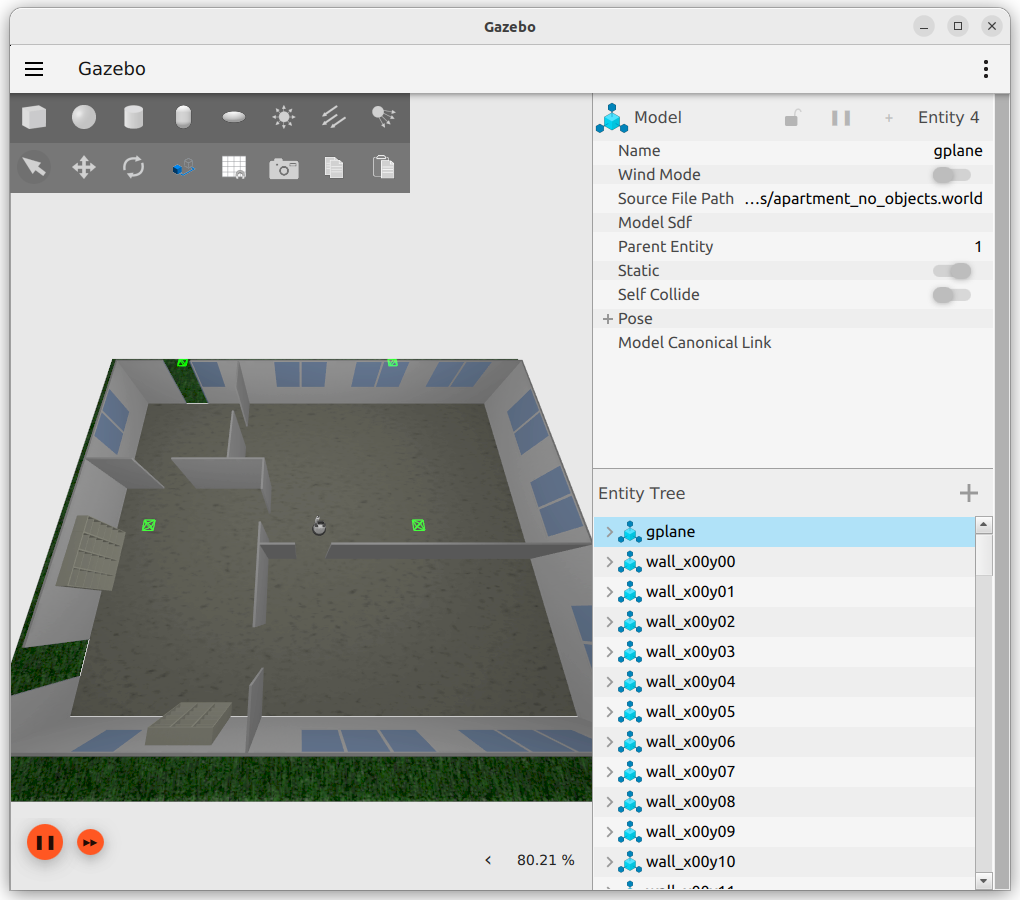
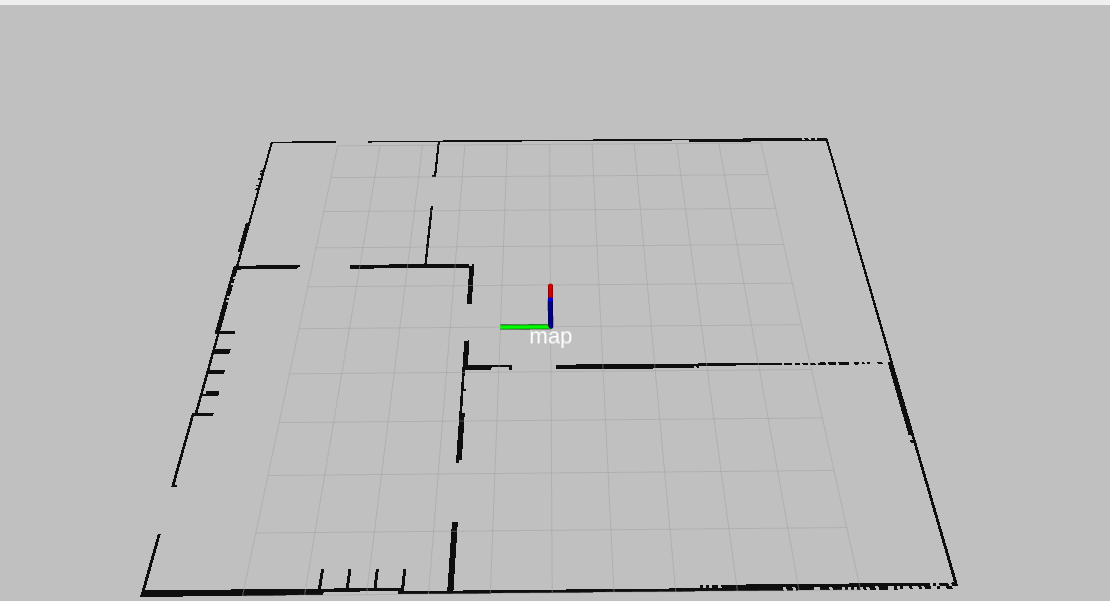
The map previously measured by moving HSR around the above simulation environment is shown in the image below.
In the figure, each grid square has a side length of 1 [m], and the pose labeled “map” is (0, 0, 0).
The black borders in the figure represent areas such as walls that HSR cannot pass through.
HSR automatically avoids these areas while moving.
3.3.2. Getting the Current Pose#
Run the following to get the current pose.
In []: omni_base.pose
The output depends on the current pose of HSR and is displayed as an absolute pose (relative to the map).
3.3.3. Moving to an Absolute Pose#
This section explains how to move to an absolute pose based on the map frame.
Run the following to move HSR.
In []: whole_body.move_to_go()
In []: omni_base.go_abs(1.0, -3.0, 0.0, 100.0)
This command moves the robot under the conditions x = 1.0 [m], y = -3.0 [m], yaw-axis rotation = 0.0 [rad], with a timeout of 100.0 [s].
Run the following to return to the initial pose.
In []: whole_body.move_to_go()
In []: omni_base.go_abs(0.0, 0.0, 0.0, 100.0)
3.3.4. Moving to a Relative Pose#
This section explains how to move to a relative pose based on the current pose of HSR.
Run the following to move HSR.
In []: whole_body.move_to_go()
In []: omni_base.go_rel(1.0, 0.0, 0.0, 100.0)
This command moves the robot under the conditions x = 1.0 [m], y = 0.0 [m], yaw-axis rotation = 0.0 [rad], with a timeout of 100.0 [s].
Run the following to return to the initial pose.
In []: whole_body.move_to_go()
In []: omni_base.go_abs(0.0, 0.0, 0.0, 100.0)
3.3.5. Relative Movement Using tf#
As with the arm, the robot can follow a “tf” frame.
Open a new terminal and run the following to create a “my_frame”.
Set
ROS_DOMAIN_IDto the value configured when launching the simulator.$ export ROS_DOMAIN_ID=XXX $ source /opt/ros/<ROS_DISTRO>/setup.bash
$ ros2 run tf2_ros static_transform_publisher 2 0 0.5 3.14 -1.57 0 map my_frame
Run the following to return to the initial pose.
In []: whole_body.move_to_go()
In []: omni_base.go_abs(0.0, 0.0, 0.0, 100.0)
Use
omni_base.go_poseto move so that “my_frame” and the “HSR pose” match.In []: whole_body.move_to_go() In []: omni_base.go_pose(geometry.pose(ei=3.14, ej=-1.57), 100.0, ref_frame_id='my_frame')
The arguments for this command are: the pose as the first argument, the timeout duration as the second, and the reference frame as the third.
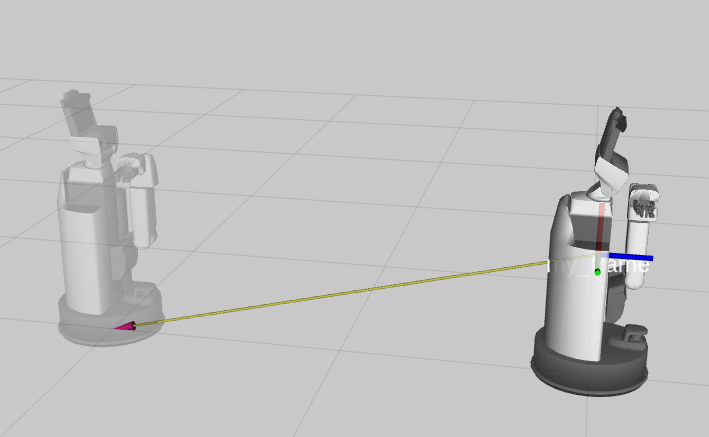
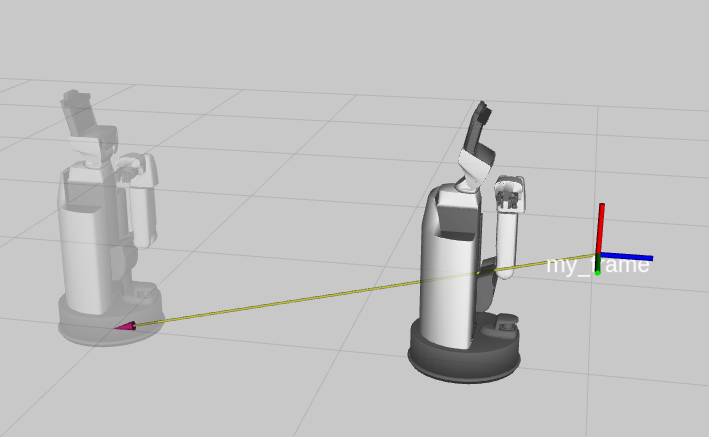
You can also specify a pose such as 0.5 [m] in front of “my_frame” as shown below.
Here, ei = 3.14 and ej = -1.57 are used to orient the z-axis of HSR’s pose upward with respect to the target frame.
In []: whole_body.move_to_go()
In []: omni_base.go_pose(geometry.pose(z=-0.5, ei=3.14, ej=-1.57), 100.0, ref_frame_id='my_frame')
3.3.6. Trajectory Following#
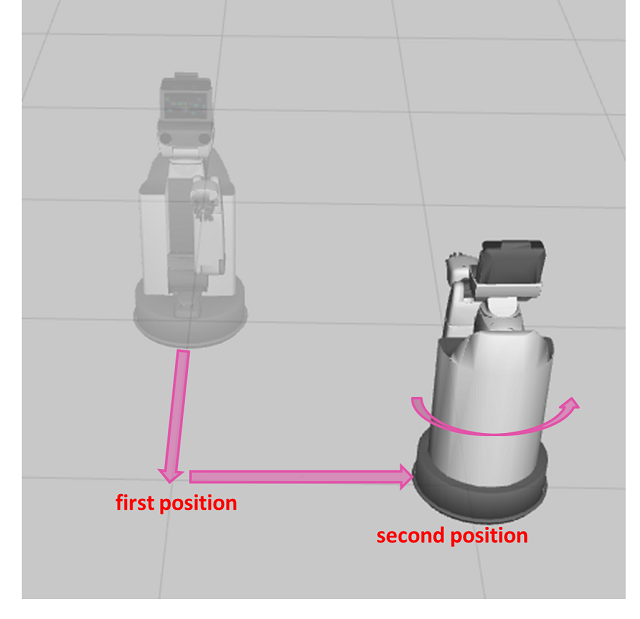
The robot can follow poses given in a list in sequence.
Run the following to perform trajectory following.
In []: whole_body.move_to_go()
In []: omni_base.follow_trajectory([geometry.pose(x=1.0, y=0.0, ek=0.0), geometry.pose(x=1.0, y=1.0, ek=math.pi)], time_from_starts=[10, 30], ref_frame_id='base_footprint')
The arguments for this command are: the list of poses as the first argument, the movement time as the second, and the reference frame as the third.
If no movement times are given, the robot moves at an optimized speed. Here, it moves to the first pose at 10 [sec] from the start, and to the second pose at 30 [sec] from the start.
3.3.7. Asynchronous Movement#
You can check the status of the movement and stop the movement while it is in progress.
You can check the available functions for asynchronous movement by entering omni_base.create and pressing the “Tab” key.
Here, we perform the movement using omni_base.create_follow_trajectory_goal .
In []: whole_body.move_to_go()
In []: goal = omni_base.create_follow_trajectory_goal([geometry.pose(x=1.0, y=0.0, ek=0.0), geometry.pose(x=1.0, y=1.0, ek=math.pi)])
In []: omni_base.execute(goal)
Generate a goal using omni_base.create_follow_trajectory_goal .
The arguments for this command are the list of poses.
When you pass the generated goal as an argument to omni_base.execute and run it, the base starts moving.
Check whether the motion is in progress
In []: omni_base.is_moving()
Stop the motion
In []: omni_base.cancel_goal()
Check whether the motion succeeded
In []: omni_base.is_succeeded()