3.2.1. Basic#
3.2.1.1. Initial Pose Transitions#
This section explains how to transition to the initial pose.There are two types of initial poses, and transitions to these poses are performed while avoiding self-collision.
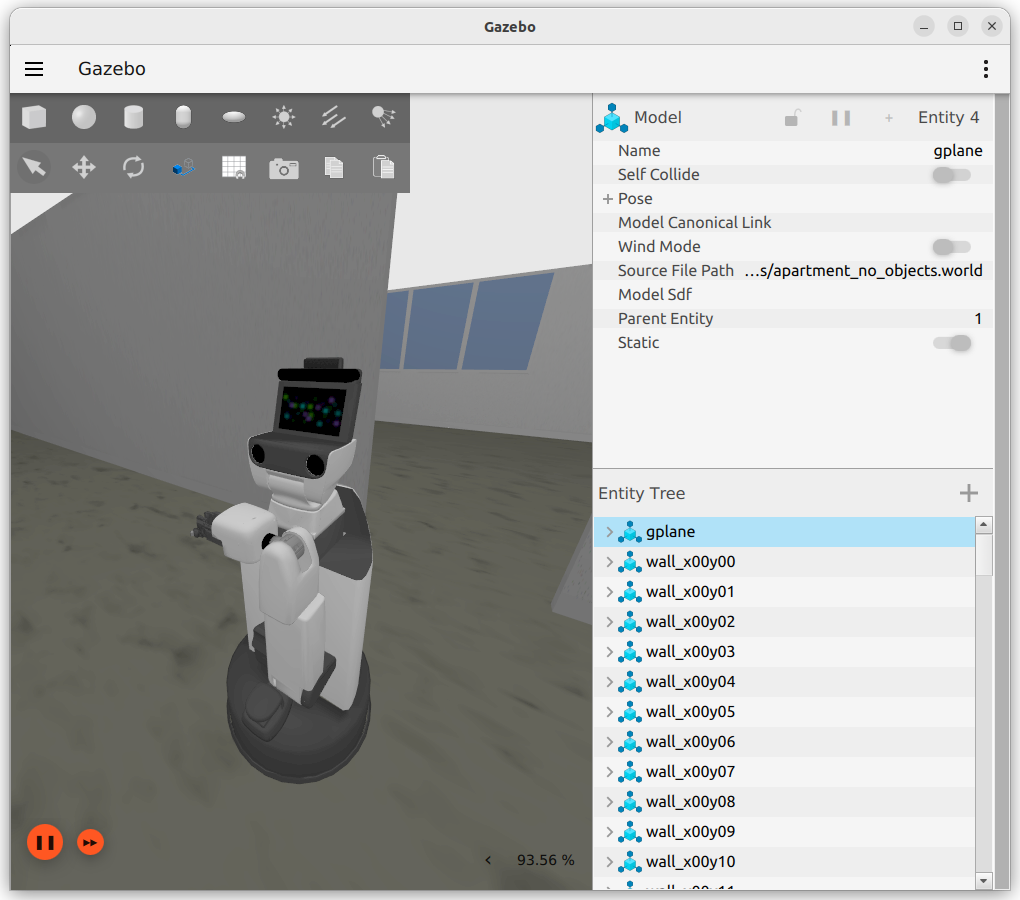
A pose in which the end effector does not interfere during movement
In []: whole_body.move_to_go()
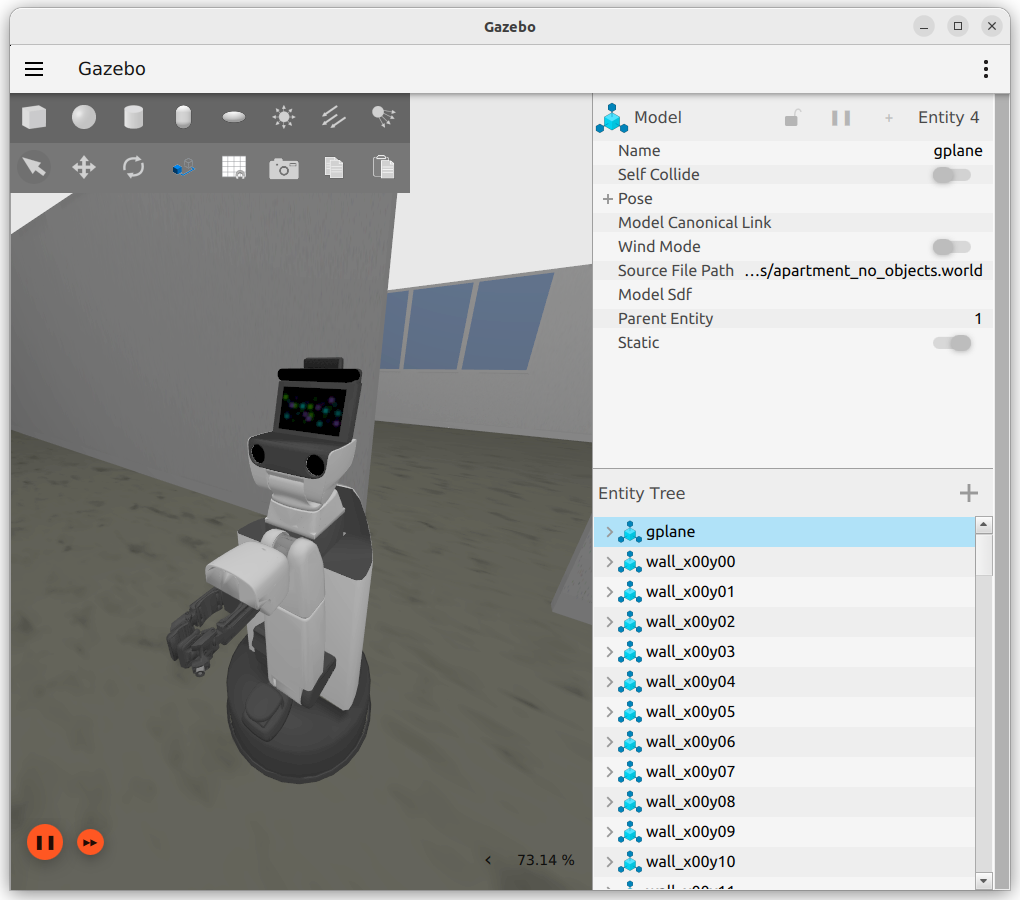
A natural pose suitable for recognition and arm operation
In []: whole_body.move_to_neutral()
3.2.1.2. Joint Control#
This section explains the commands used to move joints to desired angles.
Run the following to check which joints the HSR has.
In []: whole_body.joint_names
A list of joints will be displayed. Note that some joints cannot be moved using this command.
Out[]:
['arm_flex_joint',
 'arm_roll_joint',
 'wrist_flex_joint',
 'wrist_roll_joint',
 'head_tilt_joint',
 'base_l_drive_wheel_joint',
 'base_roll_joint',
 'arm_lift_joint',
 'hand_motor_joint',
 'head_pan_joint',
 'base_r_drive_wheel_joint',
 'hand_l_spring_proximal_joint',
 'hand_r_spring_proximal_joint']
The joints that can be operated with this interface are listed below.
Number
Joint Name
Type
Axial Direction
Range of Motion
Remarks
1
arm_lift_jointLinear
z
0.0~0.69[m]
2
arm_flex_jointRotation
-y
-2.617~0.0[rad]
-150~0[deg]
3
arm_roll_jointRotation
z
-1.919~3.665[rad]
-110~210[deg]
4
wrist_flex_jointRotation
-y
-1.919~1.221[rad]
-110~70[deg]
5
wrist_roll_jointRotation
z
-1.919~3.665[rad]
-110~210[deg]
6
head_pan_jointRotation
z
-3.839~1.745[rad]
-220~100[deg]
7
head_tilt_jointRotation
-y
-1.570~0.523[rad]
-90~30[deg]
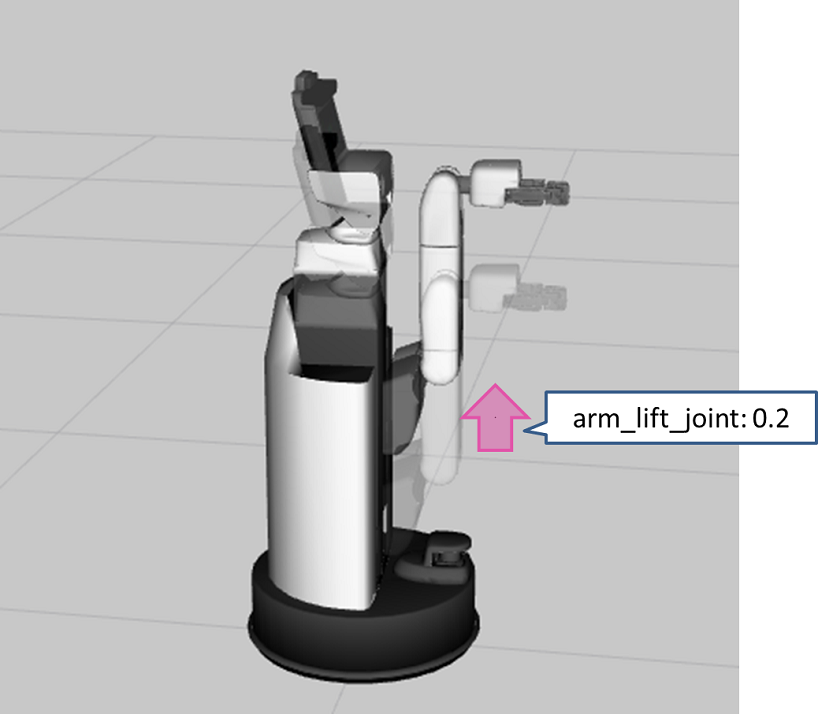
Run the following to operate the linear axis. The unit is [m].
In []: whole_body.move_to_joint_positions({'arm_lift_joint': 0.2})
Since the argument is given as a Python dictionary, make sure to enclose it with
{}.
Run the following to operate the neck. The unit is [rad].
In []: whole_body.move_to_joint_positions({'head_pan_joint': 0.4, 'head_tilt_joint': -0.2})
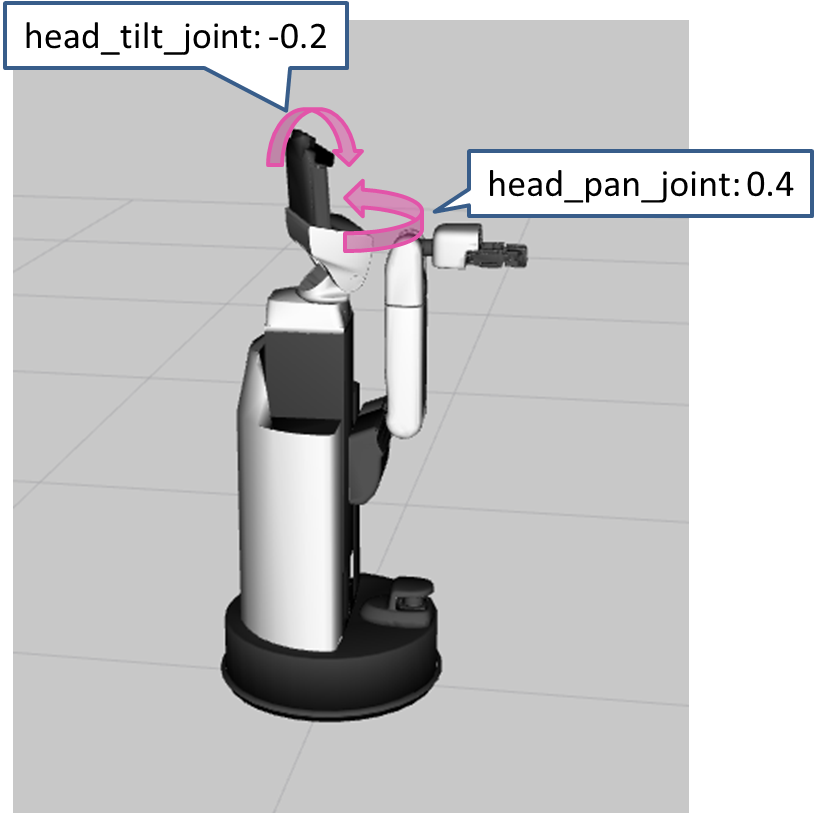
Run the following to specify and execute multiple sets of target poses.
In []: whole_body.move_to_joint_positions_multiple_targets(['arm_lift_joint', 'arm_flex_joint', 'wrist_flex_joint'], [[0.4, -0.2, -1.57], [0.2, -1.0, 0.0]])
Confirm that the robot has moved to one of the target pose.
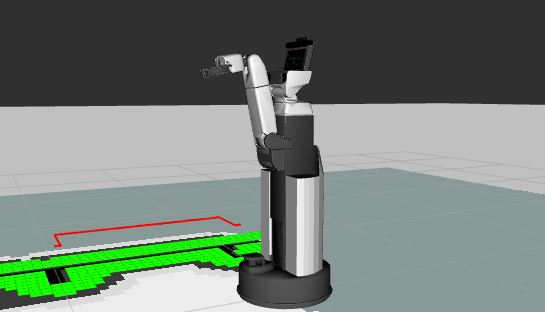
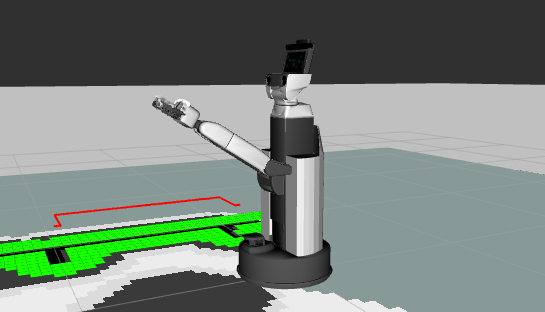
The arguments for this command are: a list of joints to move as the first argument, and a list of their target values as the second. A feasible pose is selected at random, but there is a tendency for a target pose close to the current pose to be chosen.
3.2.1.3. Change of Xtion’s Direction#
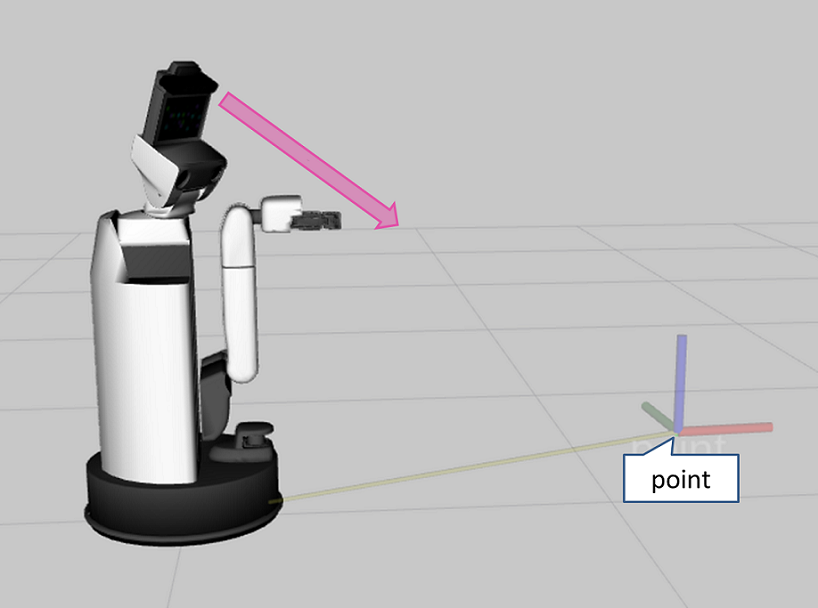
You can point the Xtion toward a desired position. However, if self-collision would occur, it will not move to that pose.
For example, when you run the following commands, the robot first moves to the initial pose and then looks toward “point” with respect to “base_link”.
In []: whole_body.move_to_neutral()
In []: whole_body.gaze_point(point=geometry.Vector3(x=1.0, y=-0.5, z=0.3), ref_frame_id='base_link')
3.2.1.4. Hand Control#
A different command is used for the hand control than for the other joints.
3.2.1.4.1. Opening Angle Control#
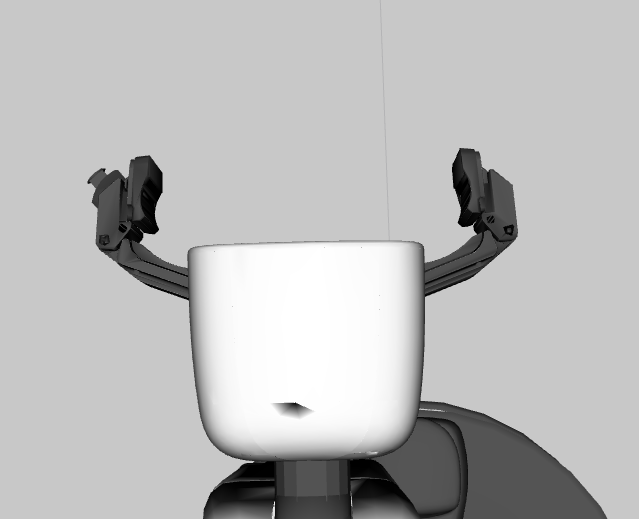
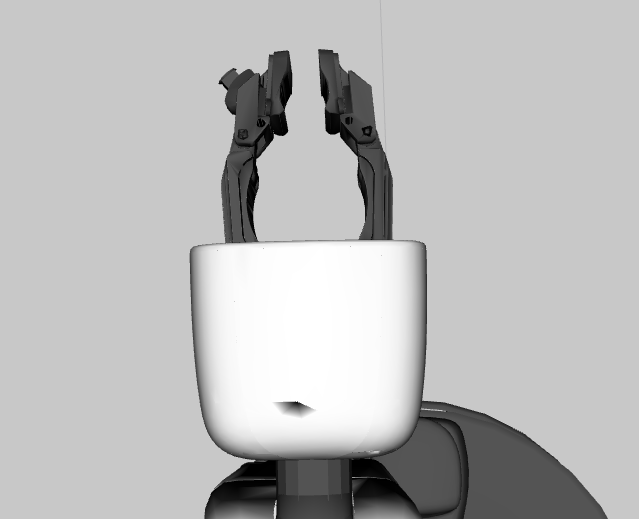
gripper.command is a command that controls the gripper opening angle [rad].
Open state (1.2 [rad])
In []: gripper.command(1.2)
Close state (0.0 [rad])
In []: gripper.command(0.0)
3.2.1.4.2. Fingertip Distance Control#
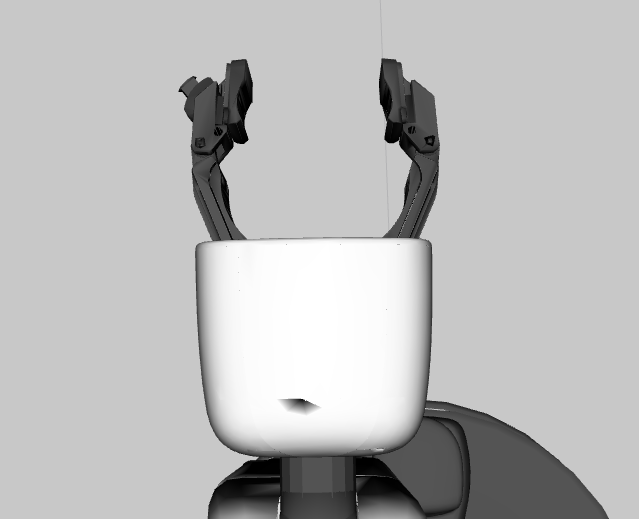
You can specify the distance between the fingertips [m] using gripper.set_distance . Set the fingertip distance within the range 0.0 to 0.135 [m].
In []: gripper.set_distance(0.05)
3.2.1.4.3. Gripping Force Control#
Important
The end effector may vibrate. In that case, reduce the value of gripper.apply_force .
The gripper can grasp objects using gripper.apply_force .
This method is recommended, for example, when grasping objects of unknown size. A typical reference for the force is about 1.0 [N].
In []: gripper.apply_force(1.0)
3.2.1.5. End-Effector Pose Control#
This section explains how to move the HSR by specifying the pose of the end effector, for example when grasping an object. Run the following command to view the reference.
In []: whole_body.move_end_effector_pose?
Signature: whole_body.move_end_effector_pose(pose, ref_frame_id=None, plan_only=False)
Docstring:
Move an end effector to a given pose.

Args
    pose (geometry.Pose or list(geometry.Pose)):
        The target pose(s) of the end effector frame.
    ref_frame_id (str): A base frame of an end effector.
        The default is the robot frame(```base_footprint``).
    plan_only (bool):
        Not execute the trajectory when this arg is ``True``
Returns:
    constrained_traj (trajectory_msgs.msg.JointTrajectory):
        A planned trajectory
File:      ~/hsr_ros2_ws/install/hsrb_interface_py/local/lib/python3.10/dist-packages/hsrb_interface/joint_group.py
Type:      method
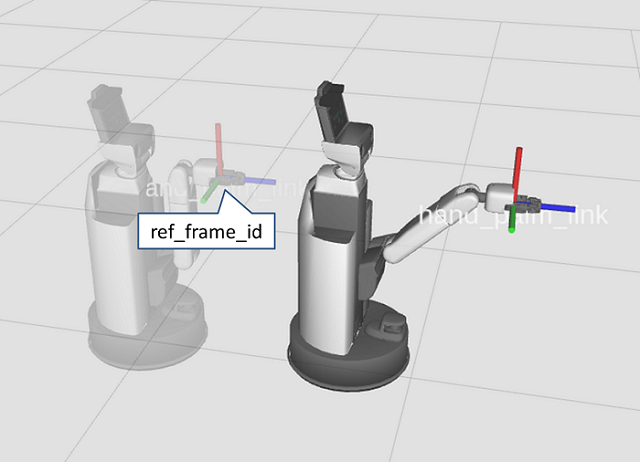
“pose” specifies the end-effector pose, and “ref_frame_id” specifies the reference coordinate frame.
You can specify multiple end-effector poses as a list.
For the reference coordinates, you must specify a frame that can be resolved by tf.
For example, with the following, the robot first moves to the initial pose, and then extends the arm so that the end effector moves 1.0 [m] in the z direction.
In []: whole_body.move_to_neutral()
In []: whole_body.move_end_effector_pose([geometry.pose(z=1.0)], ref_frame_id='hand_palm_link')
geometry.pose() is a function for creating poses, allowing you to represent a pose—such as 1.0 m in the z direction without specifying any other parameters.
3.2.1.6. Linear End-Effector Motion Control#
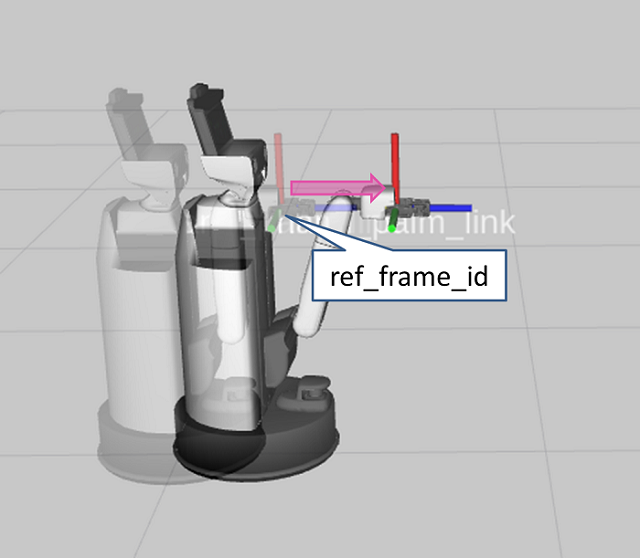
Move the end effector 0.3 [m] along the z-axis of the end-effector coordinate frame. Run the following.
In []: whole_body.move_to_neutral()
In []: whole_body.move_end_effector_by_line((0, 0, 1), 0.3)
The arguments are as follows.
Args:
    axis (Vector3): A axis to move along with
    distance (float): Distance to move [m]
    ref_frame_id (str):
       [DEPRECATED] The frame name of the target end effector.
       ``axis`` is defined on this frame.
    plan_only (bool):
       Not execute the trajectory when this arg is ``True``
3.2.1.7. Circular-Arc End-Effector Motion Control#
Run the following to move the end effector along an arc trajectory.
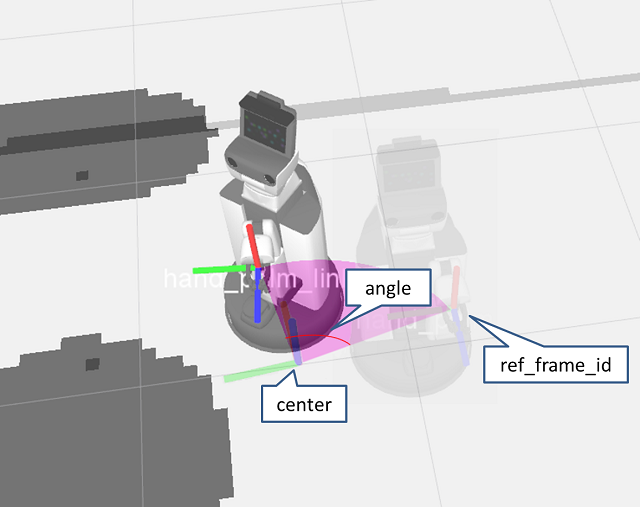
Here, the rotation center is defined as a coordinate frame obtained by moving 0.45 [m] in the y direction and 0.08 [m] in the z direction from hand_palm_link, and then rotating 90 [deg] around the y-axis. The end effector moves 60 [deg] along an arc trajectory whose rotation axis is the z-axis of this frame.
In []: whole_body.move_to_neutral()
In []: whole_body.move_end_effector_by_arc(geometry.pose(y=0.45, z=0.08, ej=math.radians(90.0)), math.radians(60.0), ref_frame_id='hand_palm_link')
The arguments are as follows.
Args:
    center (Tuple[Vector3, Quaternion]):
        A center pose of rotation. The z axis is used as rotation axis.
    angle (float): Angle to move [rad]. The range is (-PI, PI)
    ref_frame_id (str): A base frame of an end effector.
        The default is the robot frame(```base_footprint``).
    plan_only (bool):
        Not execute the trajectory when this arg is ``True``